 Auto Updates



Gravity Perks Read Only 1.9.30
$5.99
By downloading this product at PillBanana, you will receive exactly the same file you would receive if you download it from the author's site but you save up to 99% of your money and you are 100% free of viruses and malware. What's the catch?
Subscribe to the Club
From $3.99 you can download more than 12,000 Premium products
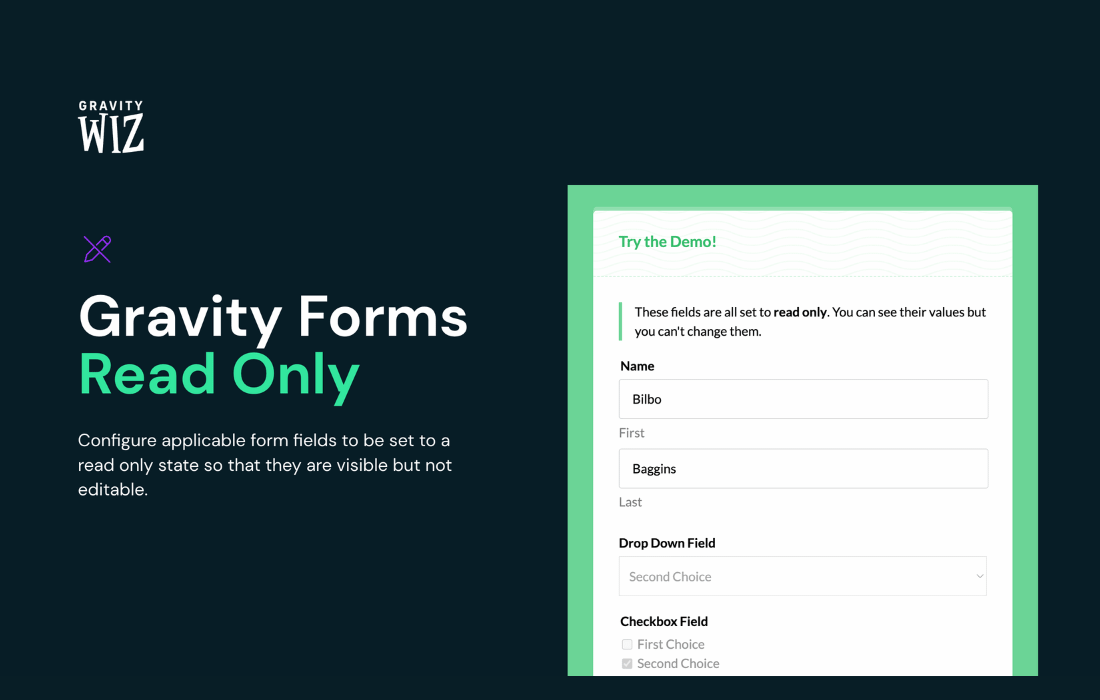
Gravity Perks Read Only: Protect your form fields from unauthorized edits
Do you need certain fields in your Gravity Forms to be displayed without allowing changes? Gravity Perks Read Only addresses this need by letting you set fields to read-only, keeping the information visible but protected against accidental or unwanted modifications.
Why Gravity Perks Read Only Is the Ideal Solution
This plugin integrates directly into your form code without relying on JavaScript, ensuring optimized performance and reliable compatibility with virtually all Gravity Forms field types. It’s especially useful when you need to display pre-filled information, calculated values, or reference data that users should see but not modify. From terms of agreement to confirmation numbers or pre-approved information, Gravity Perks Read Only protects the integrity of your data while maintaining a clear and professional user experience.
Key functionalities
- Fields protected against editing: Set any field to read-only so that users can view the information without being able to change it, thereby preserving the accuracy of your data.
- Native integration without JavaScript: It works directly within the form markup, improving performance and compatibility without the need for additional scripts.
- Broad compatibility: It supports almost all Gravity Forms field types, including text, dropdown, date, number, signature, and consent.
- Ideal for a dynamic population: It works perfectly with add-ons such as Populate Anything and Nested Forms for advanced use cases.
At PillBanana, you'll find Gravity Perks Read Only at an affordable price, with access to the vendor's original version and updates included for one year. Invest in the security and professionalism of your forms without any technical hassles.
Official web siteAt Pillbanana, we are proud to bring you the premium tools your WordPress project deserves, but in a smart and fair way.
The key lies in the General Public License (GPL)under which most of the high quality plugins and themes are licensed. This allows us, once we acquire the original licenses from the developers, to redistribute these products freely, ensuring that you receive the authentic and complete software.
Your investment in Pillbanana is essential. It is destined to keep our catalog up to date with the latest versions and to continuously acquiring new premium products to expand our offer. Thus, together, we are promoting a model for Crowd Funding which allows us to offer you access to elite software at discounts of up to 95%.
This form of Crowd Funding helps keep prices low and then we can pass this benefit on to you.
It is important to know that, in order to maintain these advantageous prices, our service is focused on software distribution. Does not include Premium Support directly from the developer. If you purchase the product directly from the original author, he will provide you with exclusive support.
With Pillbanana, you invest in quality and save smart, making the power of WordPress accessible to everyone.
- Very cheap price and original product
- You will receive files without modifications
- We buy only original products
- Free upgrades
- Clean and virus-free 100% files
- Use in unlimited domains