
 Auto Updates



Divi Mega Pro 1.9.8.9

$6.99
By downloading this product at PillBanana, you will receive exactly the same file you would receive if you download it from the author's site but you save up to 99% of your money and you are 100% free of viruses and malware. What's the catch?
Subscribe to the Club
From $3.99 you can download more than 12,000 Premium products
Licensed Product
With the purchase of this product you receive your own license. If you have an active subscription you can also access the official license.
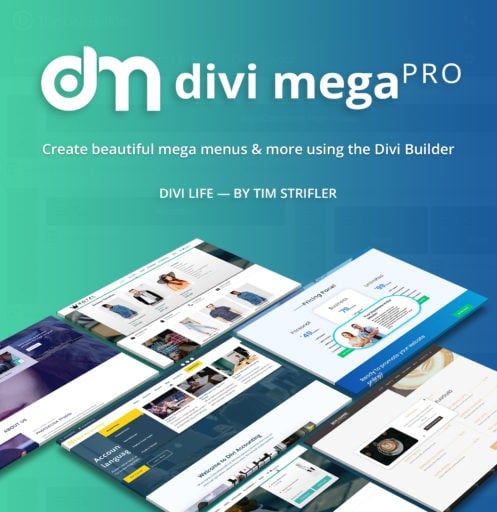
Divi Mega Pro: Create stunning mega menus with the power of Divi Builder
The navigation menu is the map of your website, and a standard menu with simple text links is often not enough to guide your users effectively, especially on content-heavy websites or online stores. You want to display your product categories with images or highlight a post, but Divi's default menu is too rigid.
Why is a "mega menu" a superior navigation tool?
A mega menu is a large dropdown menu that allows you to display not only links, but also any type of contentorganized in multiple columns. It is an incredibly powerful usability tool because it allows users to find what they are looking for faster, visualize the structure of your site at a glance and access the most important pages without having to navigate through multiple levels of submenus.
Divi Mega Pro: Full control over your menus
Divi Mega Pro is the plugin that gives you the power to build fully customized mega menus using the tool you have already mastered: the Divi Builder. You are not limited to a menu interface; you can design the content of your mega menu as if it were any other section of your website, with absolute creative freedom.
Key functionalities for first-class navigation
- Build your menus with the Divi Builder: Its most powerful feature. Create a layout in your Divi library, with any module you want (images, buttons, videos, forms), and then simply assign it to appear as a mega menu.
- Multiple menu types: Don't just create mega menus. You can choose between different types of dropdowns, from a full mega menu to a simple image menu or one with tabs.
- Total control over design and performance: You have pixel-perfect control over the width, animations and styling of your mega menu so that it integrates seamlessly with your header.
- Easy to use and intuitive: The process is incredibly simple. Just design your content in the Divi library and then assign it to any of your menu items from the
Appearance > Menus.
A clear and intuitive navigation is the key for your users to stay on your website and find what they are looking for. At PillbananaWe want you to have the best tools to achieve it. We offer you access to Divi Mega Pro. When you get it with us, you get the original plugin, with its future updates and our support, at a smart price.
Leave boring and limited menus behind. Build a rich, visual and professional navigation experience that guides your users and improves the usability of your site.
PRODUCT NOTE: How to import design templates?
- Download and unzip the template zip file.
- Now unzip one of the design files.
- Then navigate to the individual editing screen for Divi Bar or Divi Overlay or Divi Mega Pro.
- Next, click on the "portability icon" (up and down arrows) in the top right corner of Divi Builder and import the unzipped .json file.
- Enjoy the template and create something amazing.
At Pillbanana, we are proud to bring you the premium tools your WordPress project deserves, but in a smart and fair way.
The key lies in the General Public License (GPL)under which most of the high quality plugins and themes are licensed. This allows us, once we acquire the original licenses from the developers, to redistribute these products freely, ensuring that you receive the authentic and complete software.
Your investment in Pillbanana is essential. It is destined to keep our catalog up to date with the latest versions and to continuously acquiring new premium products to expand our offer. Thus, together, we are promoting a model for Crowd Funding which allows us to offer you access to elite software at discounts of up to 95%.
This form of Crowd Funding helps keep prices low and then we can pass this benefit on to you.
It is important to know that, in order to maintain these advantageous prices, our service is focused on software distribution. Does not include Premium Support directly from the developer. If you purchase the product directly from the original author, he will provide you with exclusive support.
With Pillbanana, you invest in quality and save smart, making the power of WordPress accessible to everyone.
- Very cheap price and original product
- You will receive files without modifications
- We buy only original products
- Free upgrades
- Clean and virus-free 100% files
- Use in unlimited domains WITHOUT LICENSE
- If you buy the product as a unit: 1 licensed activation
- With the Annual Subscriptionup to 15 licensed activations


